Bluetooth trackers are a great way to store track often misplaced items such as keys, wallets and bicycles.
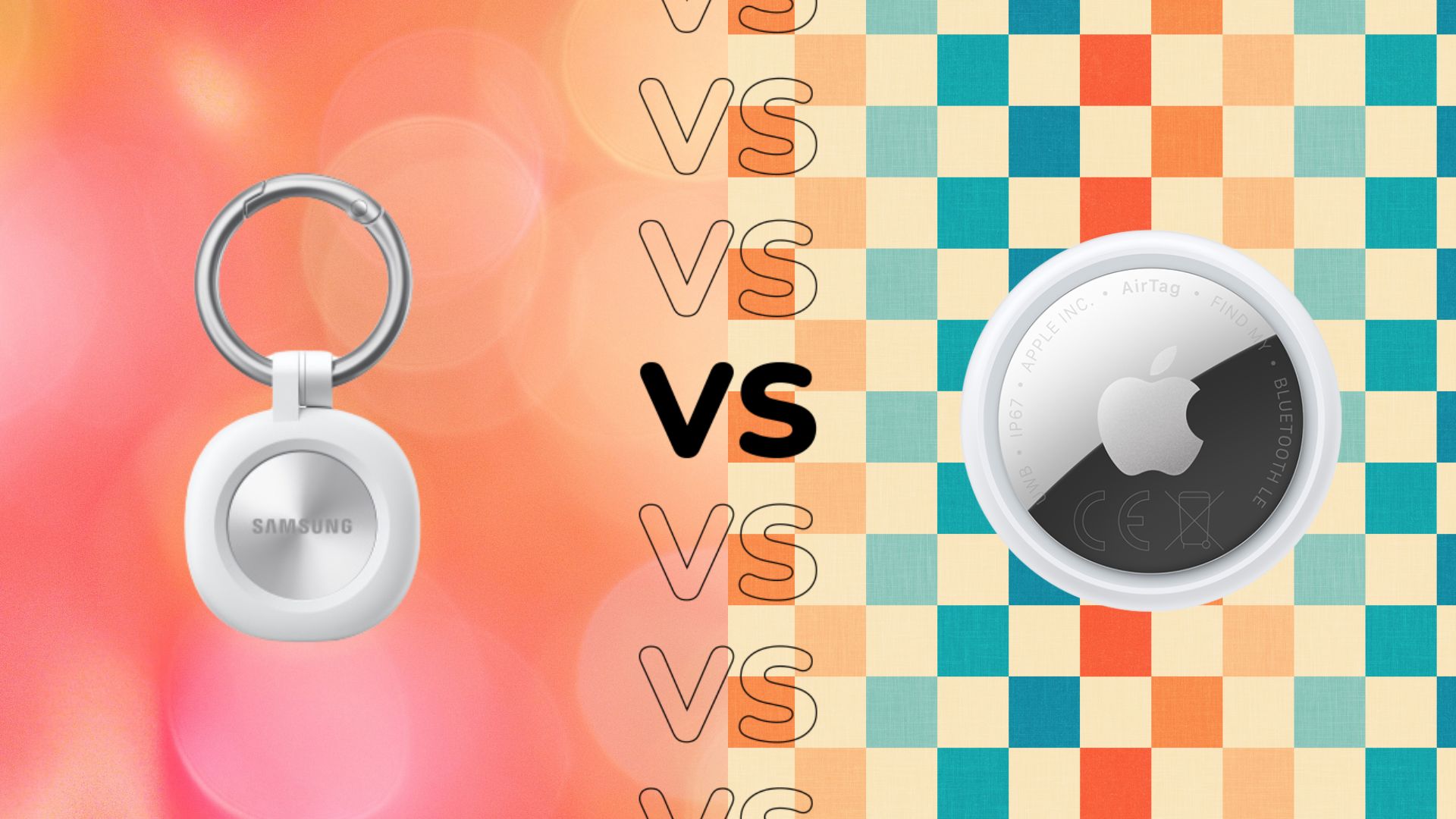
Samsung recently launched its own Samsung Galaxy Smart Tag 3, but how does it compare to Apple’s AirTag? Is the choice between the two simply a matter of whether you have an Android or iPhone device, or are there other factors to consider?
To make your choice easier, we’ve compared the Samsung Galaxy Smart Tag 3 with the Apple AirTag and highlighted the main differences between the two – as well as any notable similarities.
When you’re done, be sure to check out our roundup of the best bluetooth trackers.
Price and availability
Available in black and white, the Samsung Galaxy Smart Tag 3 is available now in Korea and will eventually launch in the US, with additional markets to follow in 2027. At the time of writing, Samsung has yet to reveal exact dates for a wider global rollout, nor pricing.
The Apple AirTag is available to buy now, RRP £29. Although it’s only available in one color, buying directly from Apple’s website allows for free engraving to personalize your AirTag.
The Galaxy Smart Tag 3 promises a longer battery life
Samsung promises that the Smart Tag 3 offers “industry-leading” battery life of up to 550 days under normal use and up to 790 days in power-saving mode.
Note, however, that power saving mode means that some Smart Tag 3 features, such as the compass view, volume, and ringtone settings, can be turned off. Instead, Smart tag offers 3 basic search functions.
That’s not to say that Apple’s AirTag doesn’t boast a hefty battery life, just that it falls short of the Galaxy’s. Although the exact battery life will vary depending on the exact usage, Apple claims that the AirTag will last for “more than a year”.

Galaxy Find Network vs Apple Find My Network
Both smart tags rely on their own networks to help recover lost items. The Galaxy Smart Tag 3 uses Samsung’s Galaxy Find Network, which uses data from 900 million participating Galaxy devices around the world, to act as a “finding hub” for the Smart Tag 3. With this, Galaxy devices can help update the location of the Smart Tag 3 outside of the range of the paired phone.
Apple has a similar program with the Find My network. Essentially, the AirTag sends out a Bluetooth signal that can be detected by nearby devices in the Find My network. Apple then explains that devices on the network can send the AirTag’s location to iCloud, where it appears in the Find My app.
Although there is little information about Galaxy Smart Tag 3 privacy, Apple promises that the entire process is anonymous and encrypted to protect your data as well.
Apple AirTag is designed to prevent unwanted tracking
Based on the above, data protection is a key aspect of AirTag. To ease concerns about unwanted tracking, Apple reassured us that the AirTage includes “industry-leading protections.”
Apple explains that if someone else’s AirTag ends up on you or among your belongings, the paired phone should notice it’s there and send an alert. As a backup, the AirTag itself will also start playing a sound to let you know it’s there.

Both are IP67 rated
Durability is important for a tracker, as you never know what conditions your lost item might find itself in. Fortunately, both the Samsung Galaxy Smart Tag 3 and the Apple AirTag are IP67 rated. This means that both are dustproof and can withstand temporary immersion in water.
Both support iOS devices, but neither supports Google Find Hub
Perhaps unsurprisingly, the Apple AirTag cannot be paired with an Android phone and instead only supports iOS devices. That said, you can scan a lost AirTag with an Android phone to find its owner and determine if you, too, are a victim of unwanted tracking.

In comparison, for the first time in the series, the Samsung Galaxy Smart Tag 3 can be paired with both Android and iOS devices. It uses Samsung’s SmartThings Find app, which allows users to check and share the smart tag’s location – but it’s worth noting that the Smart Tag 3 doesn’t support Google’s Find Hub.
Early judgment
In the past, the choice between the Samsung Galaxy Smart Tag and the Apple AirTag ultimately depended on whether you were using an Android or an iPhone. However, now that the Galaxy Smart Tag 3 supports iOS devices, things have become a bit more complicated.
At this early stage, it’s fair to say that if you’re an Apple fan and want a seamless pairing experience, the AirTag is the easiest recommendation. On the other hand, Android users or those who dabble between iOS and iOS will probably suit you better with the Galaxy Smart Tag 3.