

Google’s Gemini could soon access every file on your macOS device, open apps, browse the web and perform actions without asking for permission every time.
As discovered by TestingCatalog On
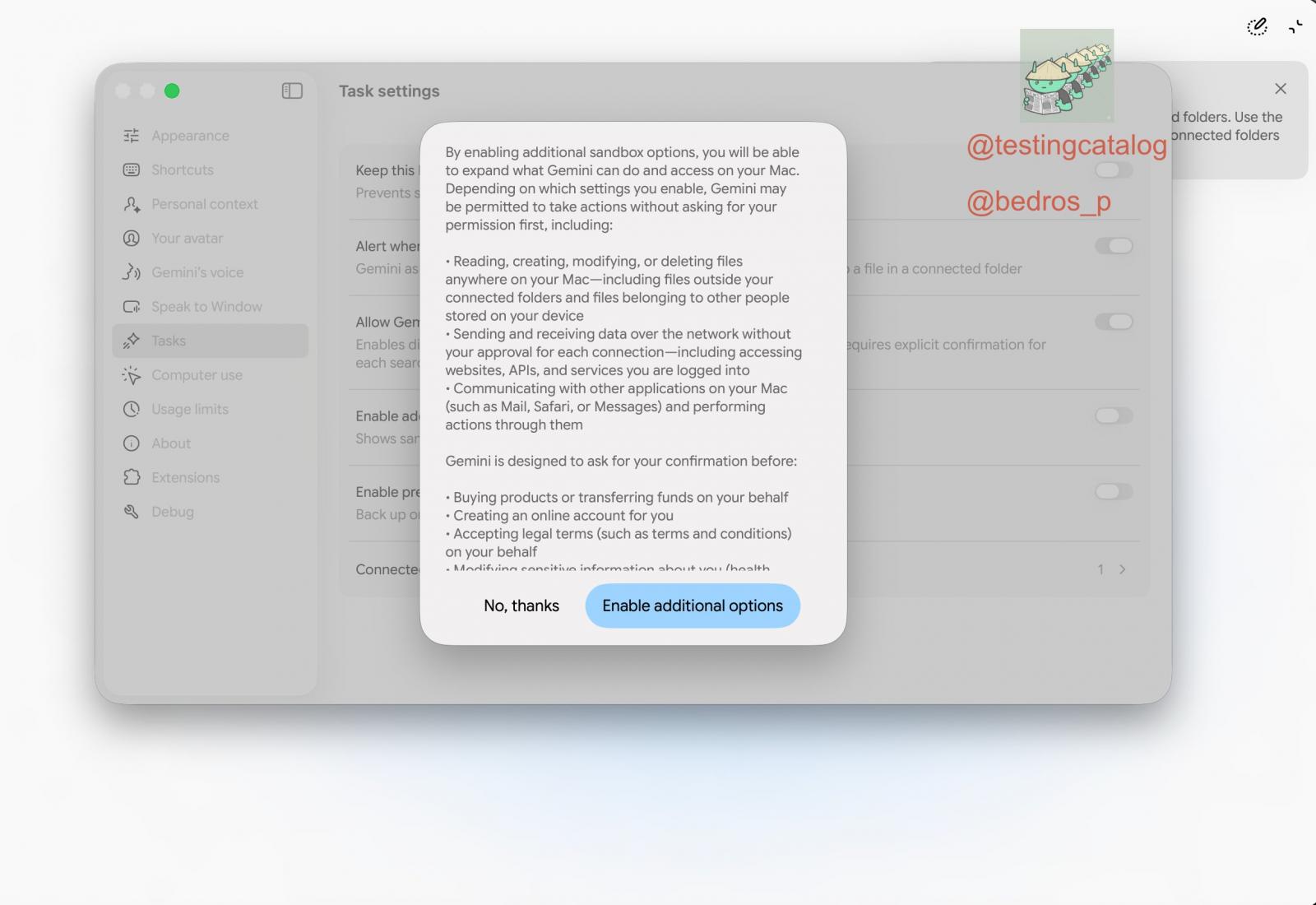
The feature isn’t live yet and Google hasn’t confirmed it, but when enabled, Google Gemini would be able to read, create, modify, or even delete files anywhere on your PC.
This means that Gemini has access to files outside of the folders that you have explicitly connected to Gemini.
It’s unclear how the feature will impact as Apple considers making it harder for AI agents to access personal files and data on the Mac.
According to a popup in Gemini Desktop, Google’s AI could also communicate with and perform actions through apps such as Mail, Safari or Messages.
“By enabling additional sandbox options, you can expand Gemini’s capabilities and access on your Mac,” Google explains in the hidden interface.
“Depending on which settings you enable, Gemini may be allowed to take actions without first seeking your permission.”
Gemini would still ask before sensitive actions
Google doesn’t give Gemini unfettered control without safeguards, and you can expect a Claude-like experience where you explicitly give it permission to use your PC.
Gemini would still ask for confirmation before purchasing products or transferring money, creating an online account, accepting legal terms on your behalf, or changing any confidential information about you.
The setting appears to be part of Google’s broader computing plans for Gemini, where the AI would be able to work across files, websites and native apps rather than being limited to a chat window.
It’s unclear when Google plans to launch Full Access or which Gemini model will support it.


